

Did you know that neither Power Platform admin center nor the CoE Starter Kit gives you real governance over your Copilot Studio agents?
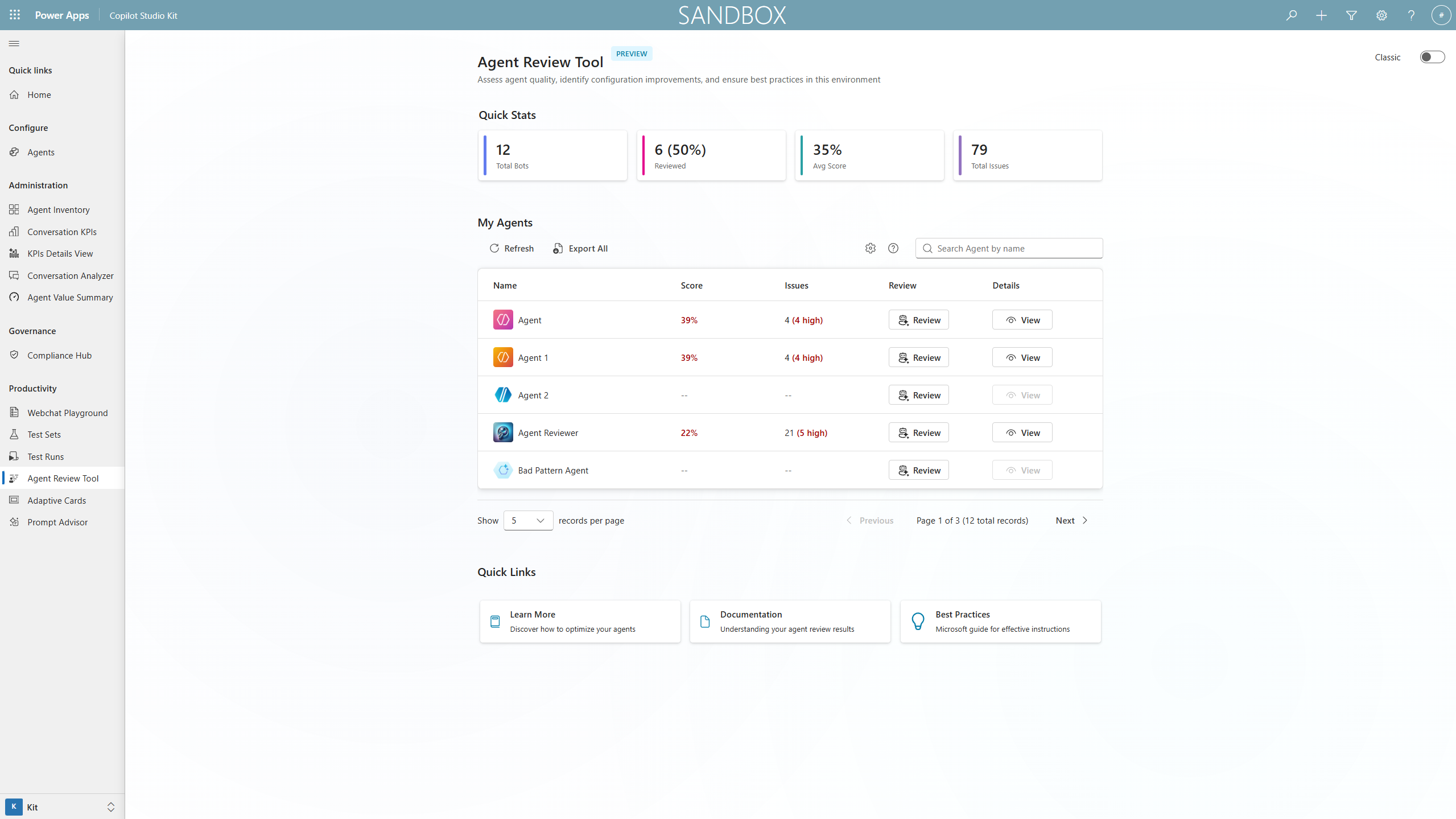 The Copilot Studio Kit Agent Review Tool — image from Power CAT Copilot Studio Kit
This is a blind spot I see in almost every organization that has started building agents. They have DLP policies configured, Managed Environments enabled, the CoE Starter Kit running — and they assume Copilot Studio is covered. It isn’t.
What Power Platform admin center actually shows you
Power Platform admin center gives you environment-level management for Copilot Studio:
- Which agents exist in each environment
- Who created them and when
- DLP policy enforcement — which connectors agents can use
- Environment-level analytics — total sessions, billed sessions
That’s infrastructure governance. It tells you what exists and where it runs. But it tells you nothing about whether those agents are actually working, what users are asking, or how often they fail.
What the CoE Starter Kit adds
The CoE Starter Kit extends visibility with cross-environment inventory:
- Agent inventory alongside apps and flows — how many agents, who owns them, which environments
- Last modified dates and usage trends
- Maker activity — who’s building agents and how often
- Compliance flags — agents in default environment, agents without descriptions
This is inventory governance. It answers “how many agents do we have and are they following our conventions?” But it still doesn’t tell you whether an agent is actually solving user problems or just returning fallback responses 80% of the time.
The gap the Copilot Studio Kit fills
The Copilot Studio Kit is a separate solution specifically designed for agent quality and behavioral governance. It fills the gap that admin center and CoE Starter Kit deliberately don’t cover:
- Conversation transcripts — What are users actually asking? What do they expect the agent to do?
- Topic-level analytics — Which topics trigger most often? Which ones resolve successfully? Which ones escalate?
- Resolution and escalation rates — Is the agent solving problems or just routing people to support queues?
- Unrecognized inputs — What are users asking that the agent can’t handle yet? This is your roadmap for new topics.
- Agent comparison — Compare performance across agents, environments, or time periods.
- Generative AI evaluation — For agents using generative answers, track answer quality and grounding accuracy.
Think of it this way:
| Layer | Tool | What it answers |
|---|---|---|
| Infrastructure | Power Platform admin center | Where do agents run? Who can build them? |
| Inventory | CoE Starter Kit | How many agents exist? Who owns them? |
| Behavior | Copilot Studio Kit | Are agents working? What do users ask? Where do they fail? |
Why this matters for governance
An agent that exists, follows naming conventions, and uses approved connectors can still be a governance problem if:
- It gives users wrong or misleading answers through poorly grounded generative responses
- It has a 90% escalation rate, meaning it’s essentially a fancy routing form
- Users keep asking about topics the agent doesn’t cover, creating frustration and shadow IT workarounds
- Nobody reviews conversation logs, so sensitive data leaks through user inputs go unnoticed
The Copilot Studio Kit gives you the data to catch these issues before they become incidents.
How the three tools work together
The strongest governance posture combines all three:
- Power Platform admin center — Set the rules. DLP policies, environment security, Managed Environments, sharing limits. This is your enforcement layer.
- CoE Starter Kit — See the landscape. Cross-environment inventory, maker activity, compliance dashboards. This is your visibility layer.
- Copilot Studio Kit — Understand the behavior. Conversation quality, topic coverage, resolution rates, user satisfaction. This is your quality layer.
Without the Copilot Studio Kit, you’re governing the existence of agents but not their impact. And in most organizations, the impact is where the real risk lives — a poorly performing agent that frustrates customers or gives wrong answers damages trust far more than an ungoverned app in the default environment.
Getting started
The Copilot Studio Kit is open source on GitHub and installs as a managed solution into a Dataverse environment. It requires:
- A dedicated environment (or your existing CoE environment)
- Power Automate premium for the data sync flows
- Dataverse storage for conversation and analytics data
- An admin or CoE team member to configure the sync and review dashboards regularly
Start by deploying it alongside your CoE Starter Kit. Use admin center for enforcement, CoE for inventory, and the Copilot Studio Kit for the behavioral layer that ties it all together.
💬 Comments & Suggestions
Share your thoughts, tips, or drop a useful link below.