

You could already generate an app by describing it. Several tools do that well, and some of them write nicer code than this will. What changes in Copilot Cowork and Copilot Studio is the state the app is in when it appears.
 The sentence is the input. The wiring on the right is what used to be the project.
What the app arrives carrying
The honest summary is in Microsoft’s own release notes for Cowork. For supported connectors, Cowork can define the underlying data structure and connect the source as it builds, so the app is “ready to work with live business data rather than remaining a static prototype.”
Read the second half of that sentence again. The wiring happens during generation, not as a follow-up project. That is the entire claim, and it is a large one.
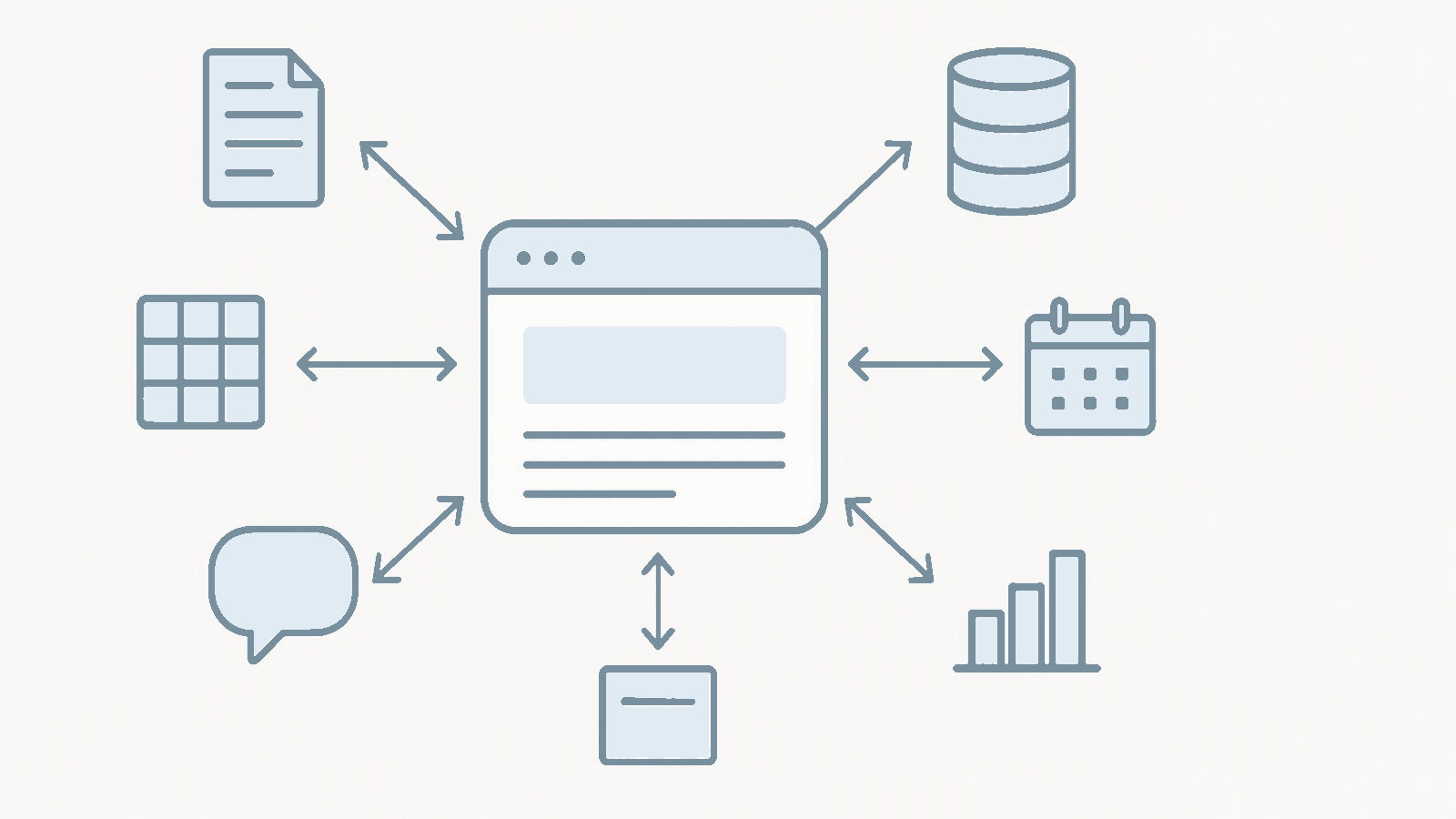 Every arrow points both ways. That is the part that makes it an app rather than a report.
The default connector set tells you what connected means in practice on day one. Eighteen Microsoft first-party connectors: SharePoint, OneDrive for Business, Word Online, OneNote, Teams, Outlook, Office 365 Groups and Groups Mail, Office 365 Users, Planner, To Do, Bookings, Forms, Excel Online, Dataverse, Power BI, Viva Engage, and Azure DevOps. Alongside them, twelve first-party MCP servers, including Work IQ servers for Teams, Outlook mail and calendar, Word, OneDrive, SharePoint and user profile, plus Fabric and Power Apps.
That is not a demo surface. That is most of the places the work already sits.
Turning context into an application
The Work IQ part is what I keep coming back to. Apps can use Work IQ to reach organizational context, which means documents, spreadsheets, meetings and messages become inputs to an application instead of things a person reads and then retypes somewhere else.
Microsoft’s two examples are deliberately ordinary, and that is the point. An onboarding app shows progress from a business data source, surfaces learning resources, and updates onboarding records. A field service app retrieves product technical context from a third-party system, presents guided steps, and writes results back.
Notice that both of them write. The documentation is specific about it: this is “not just surfacing information, but taking action and writing results back to the systems within your Microsoft 365 tenant boundary where work happens.” A read-only dashboard is a report. An app that writes is a process.
The Cowork examples go further. A launch command center that aggregates emails, meetings, chats, files, action items and roadmap documents, surfaces readiness KPIs, owners, risks and unresolved dependencies, and lets people edit stage cards and track progress by workstream. Every organisation I have worked with has a version of that living in a spreadsheet that somebody maintains by hand until they stop.
Who gets to build, and how far in they go
The experience is built for a range of builders. Information workers can stay focused on the solution, while advanced makers and developers can go deeper into the app’s structure and code when they need more control.
That is the design decision I respect most here, because the usual failure of a citizen development tool is the handoff. Somebody in the business builds something, it becomes real, and then a developer has to rebuild it properly because there is nothing underneath worth picking up. Here the app is full-stack and built on open standards, and the underlying code is inspectable from the moment it exists. A developer inheriting it is reading code, not doing archaeology.
Two front doors, one platform. If you live in Cowork, invoke the app skill with /app in the chat you already have open. If you build in Copilot Studio, pick the apps tile from the home screen. You describe the business outcome, the users, the data and the actions, and you get a working scaffold you then refine in conversation.
Apps next to agents and workflows
This is the structural change, and I think it is getting less attention than it deserves.
A business process has needed three separate things: something to reason, something to run, and something for a person to look at and decide in. Copilot Studio now carries apps alongside agents and workflows on the same surface, which Microsoft frames as turning ideas into complete business process solutions.
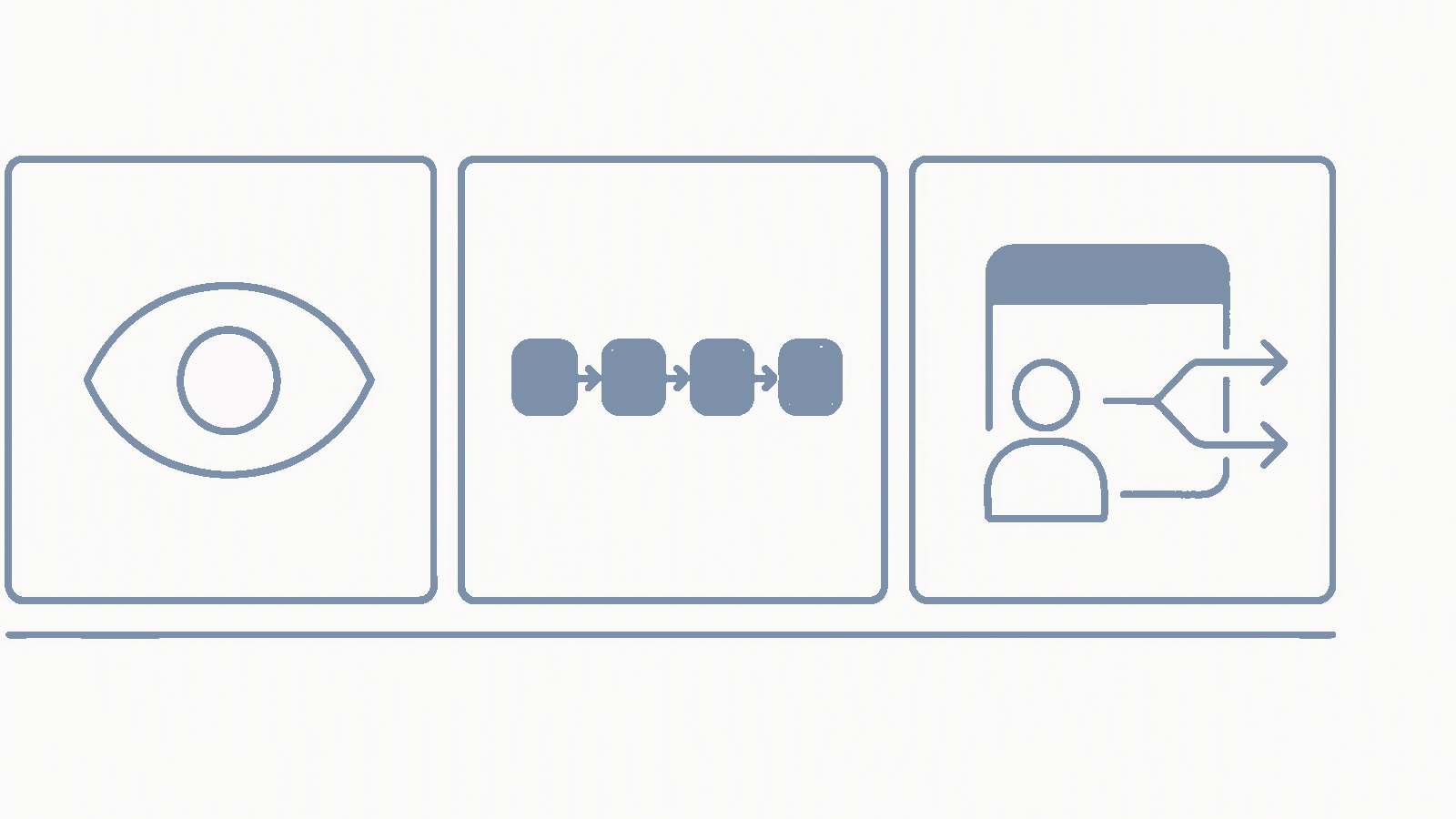 The third panel is the one that has been missing. An agent with nowhere to hand off is either over-trusted or unused.
Think about what that lets you assemble. An agent watches for the thing and works out what it means. A workflow does the deterministic part that should never involve judgement. An app is where a person makes the call that neither of the other two should make alone.
That third piece has been missing from almost every agent conversation I have had this year. An agent with no human interface to hand off to ends up either over-trusted or quietly unused. Giving it somewhere to put a decision in front of a person, built by the same description that built the agent, is a bigger deal than the app generation itself.
It has a lifecycle, which is the unglamorous part
Apps created here can use Git-backed source control, deployment stages, and version isolation, so teams can keep improving the next version without disrupting the live experience.
That sentence is boring, and it is the reason any of this survives contact with a real organisation.
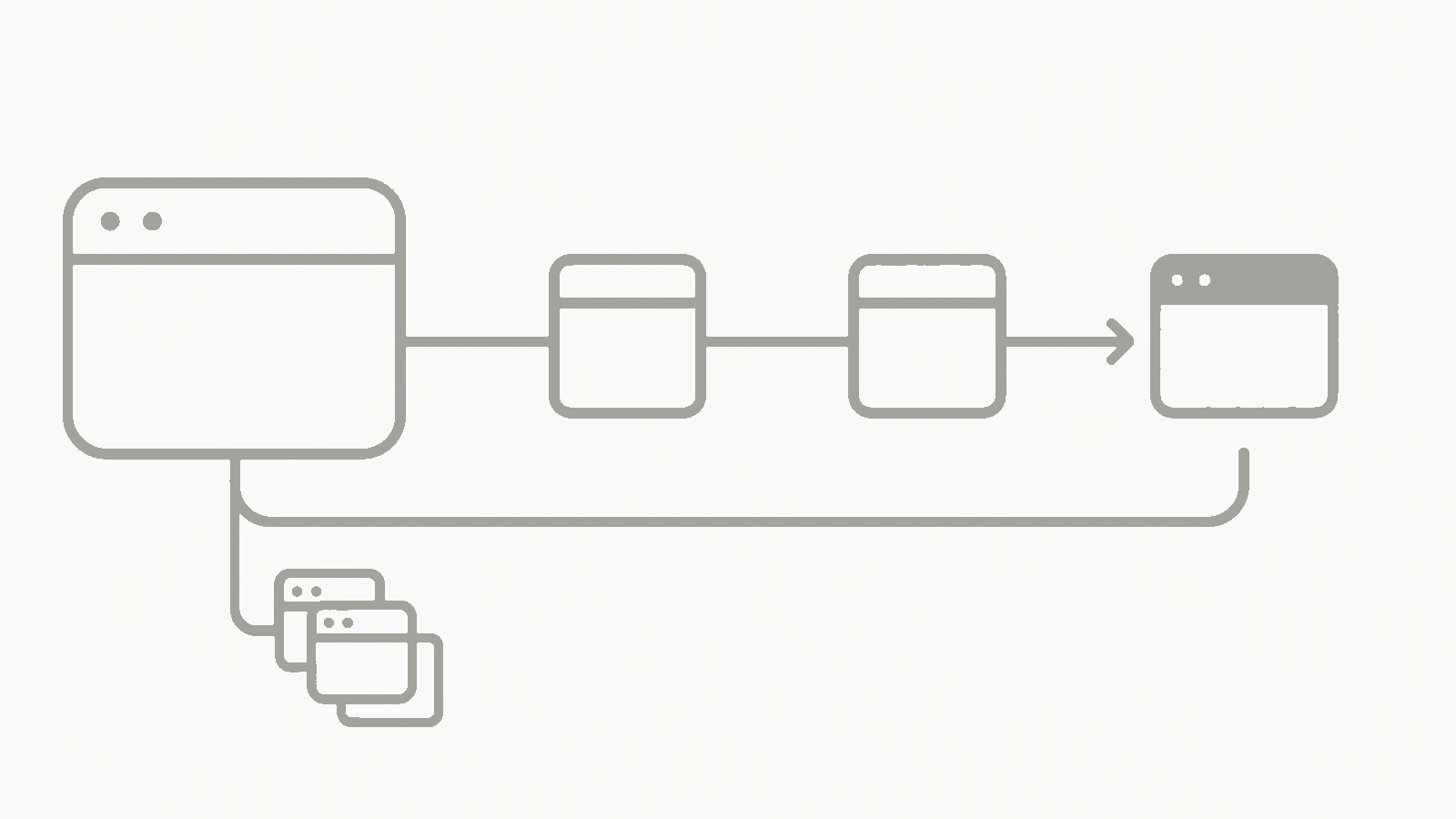 The branch going backwards is the whole point. A version you can return to is what stops an app being disposable.
It is worth being fair to the alternatives, because they are good. Anthropic’s artifacts generate beautifully and their documentation is clear about the shape of the thing: persistent storage is 20 MB per artifact, text only, and unpublishing an artifact permanently deletes all associated storage data. That is a well designed tool for building tools, and it does not pretend to be the place a business process lives.
Source control and deployment stages are the difference between something you demo and something you own. Once an app has a previous version you can return to and a stage you can test in, it stops being disposable. Published apps show up for users at managedapps.cloud.microsoft.com, which means the app has an address rather than a link somebody pasted into a chat eight months ago.
Two sentences of admin reality
I cannot help myself, so here they are. Apps created in Copilot Cowork automatically enable environment routing in every tenant and you cannot change that setting, so look at your existing routing rules before your makers find out for you. And app building and running follow usage-based billing in Copilot Credits, which means the cost of an app scales with how popular it turns out to be rather than being settled the day you deploy it.
What I would try first
Three things, none of which need a project.
- Take a process that currently lives in a shared spreadsheet and a Teams channel. Describe it in one paragraph, including who uses it and what they need to change. See how close the first scaffold gets.
- Build something that writes. A read-only view will always work and will teach you nothing. Pick a case where the app has to update a record, then go and check what the connector actually did.
- Open the code. Even if you never touch it, knowing what got generated tells you whether you would be comfortable owning this in a year.
This is preview, and preview moves. App building in Copilot Studio is rolling out in public preview, the Cowork side is a Frontier preview, and I would expect the edges to change. What I would not do is file this next to the other generate-an-app demos. Those hand you something you still have to finish. This hands you something already wired into the systems the work lives in, which turns the question from whether you can build it into which process you point it at first.
Sources
- Build apps in Copilot Cowork and Copilot Studio, Microsoft Copilot Blog
- (Co)work in Progress, the Copilot Cowork release blog, Microsoft Tech Community
- Review default governance settings for apps (preview), Microsoft 365 admin documentation
- Environment routing for apps, Power Platform documentation
- Usage-based billing and cost management for Copilot Credits, Microsoft Learn
- Add Work IQ to your agent, Copilot Studio documentation
- What are artifacts and how do I use them?, Anthropic
💬 Comments & Suggestions
Share your thoughts, tips, or drop a useful link below.