

Most agent cost guidance starts with end-user adoption. That is too late for agents powered by the GitHub Copilot harness in Copilot Studio.
With this harness, billing can start while the maker is still building. Natural-language authoring, preview, testing, and evaluation can consume Copilot Credits before the agent is published. The cost starts at the workbench, not at the front door.
 The meter can move during construction, before anyone reaches the publication gateway.
This matters in tenants where Microsoft 365 Copilot licensing made AI feel like a user-license discussion. The GitHub Copilot harness has its own usage-based billing model. I would not assume that an existing Microsoft 365 Copilot license makes this consumption disappear.
What the harness changes
Microsoft describes a harness as the runtime between the model and what you build. It decides when to call the model, what context and components to send, how to interpret the response, and which tools to call.
The standard harness is built around explicit topics, branches, and predictable paths. The GitHub Copilot harness is a redesigned authoring and runtime experience. A maker describes the agent in natural language, and Copilot Studio generates the underlying configuration. Its Build, Preview, Evaluate, and Monitor tabs put the lifecycle on one surface.
That is not just a different editor. It changes the unit of work and the billing boundary.
A maker can arrive there without a tenant-wide migration project. Microsoft documents that the harness is chosen when a new agent is created, and both harnesses remain available side by side. A maker selecting the new reasoning-heavy experience has made a consequential licensing choice even if the organization never held a formal licensing workshop. Agents cannot later be transferred between the GitHub Copilot and standard harnesses.
For me, that is the first governance lesson: inventory the harness, not only the agent name and owner.
Three things consume credits
The billing overview is unusually direct. Copilot Credits cover three parts of the experience:
- Large language model tokens. Reasoning and generation consume model tokens.
- Tools. This includes knowledge sources and MCP servers.
- The harness. The orchestration runtime itself is part of consumption.
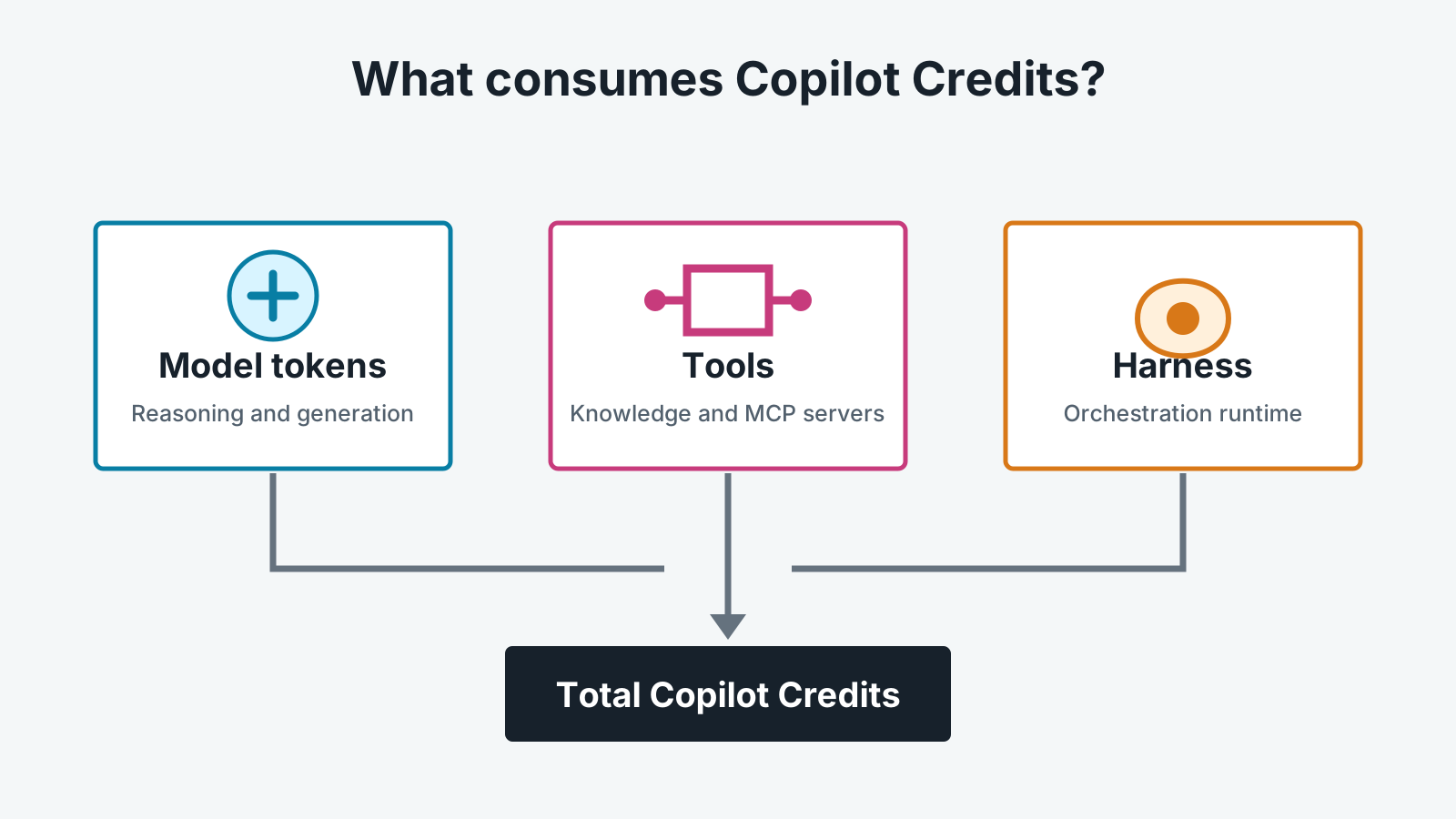 Total consumption combines model work, tool use, and the harness that orchestrates the task.
This is why counting conversations is not enough. Agent design, task complexity, tool calls, and frequency all affect consumption. A maker can trigger that work by asking Copilot Studio to create an automated solution in natural language, previewing the agent, testing it, or generating and running evaluations.
I would treat development and test environments as cost-bearing environments from day one. “Not published” is not a cost control.
Enforcement reaches the maker
The enforcement policy is equally clear. If an environment has no allocated Copilot Credits, or consumes all its allocated credits, experiences that require credits stop working.
End users lose agent responses. Makers also lose natural-language authoring, preview and test, and the ability to generate and create agent evaluations. This is not only a production availability event. It can stop delivery work in the middle of a sprint.
Microsoft says some overage consumption is allowed as a grace period to avoid blocking business processes. I would not turn that sentence into a capacity plan. The public page does not give a guaranteed overage amount or duration. Plan against allocated capacity or an explicit pay-as-you-go route.
Use Manage Agents, not spreadsheets
The current admin path is Power Platform admin center > Licensing > Copilot Studio > Summary > Manage Agents.
That page gives a tenant-wide list of Copilot Studio agents that incur billing charges. For each agent, an administrator can see its environment, month-to-date billed credits, configured limit, and status: Within limit, Nearing limit, or Over limit. Administrators can search, set a monthly limit, and turn an agent off.
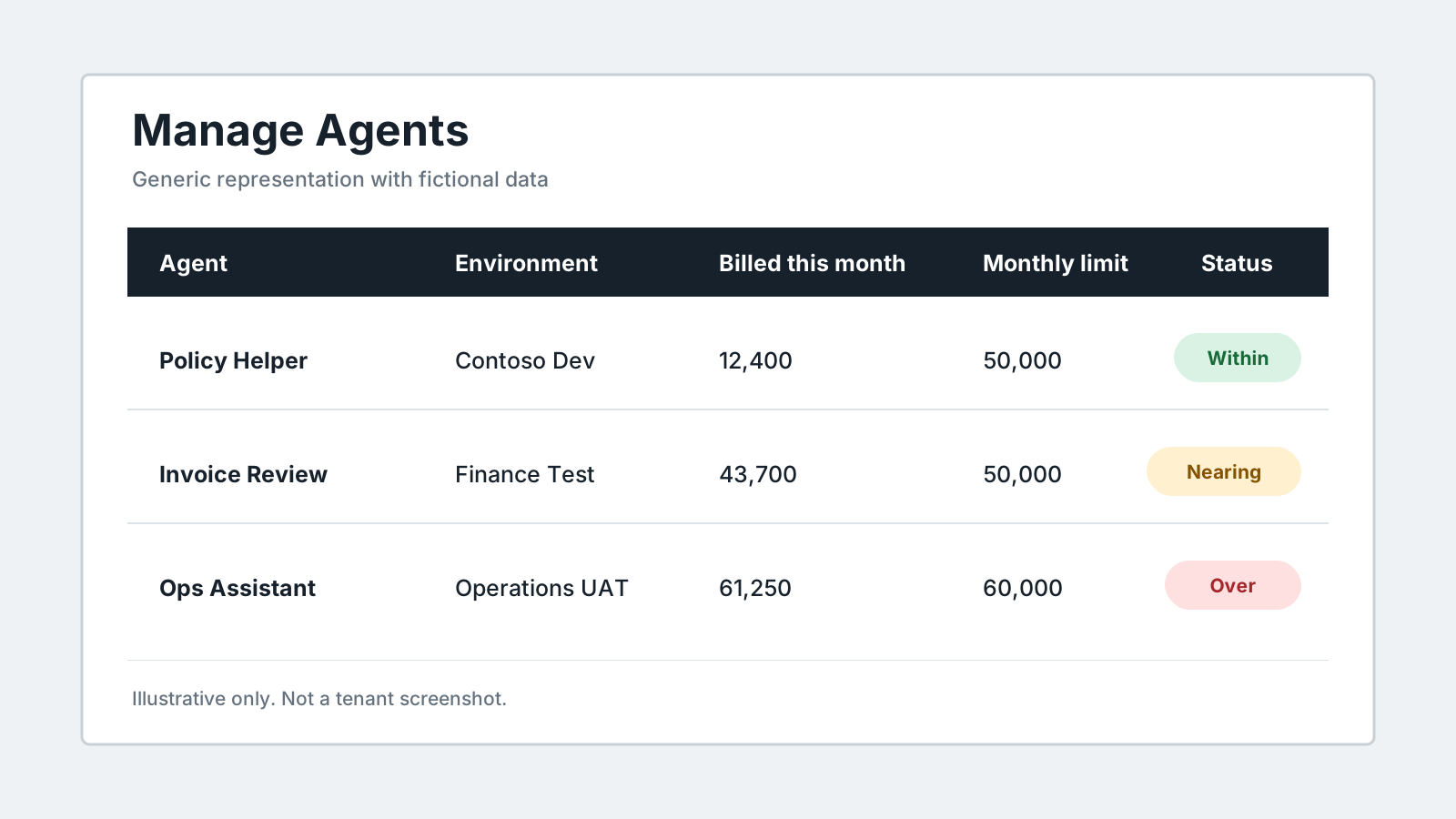 A generic representation of the Manage Agents view. All names and values are fictitious.
This view closes an important gap. Environment totals tell me where capacity went. The agent list tells me what is driving it. I review both because an environment can be within capacity while one experimental agent is consuming far more than expected.
Make the overage policy explicit
Set a monthly limit on every billing agent, including development agents. The limit can be generous. An unset limit is not a policy.
The behavior differs by funding model:
- In a prepaid environment, the agent must remain within the capacity pool allocated to that environment.
- In a pay-as-you-go environment, an administrator can set any agent limit, and consumption is billed as used.
Then choose the two guardrails. Notifications alert environment and tenant administrators as usage approaches the limit. A hard stop automatically turns off the agent when it reaches the limit.
There is also an environment-level overage decision. When preallocated capacity is exceeded, the environment can draw from available tenant capacity or bill overage to a linked pay-as-you-go plan. Write down which behavior is approved. Otherwise, one team expects continuity while another expects cost containment, and the platform cannot satisfy both assumptions.
I normally enable notifications first, observe a full billing cycle, and then decide where a hard stop is acceptable. A test agent and a business-critical production agent should not inherit the same response blindly.
Automate the control loop
The portal is useful, but a CoE should not depend on someone opening it every morning. The Power Platform API groups these operations under the Licensing namespace.
Three operations are useful building blocks:
- Get Tenant Capacity Details returns tenant capacity and consumption details.
- List Currency Reports returns tenant currency reports and can include allocations and consumption.
- Currency Allocation gets, allocates, and deallocates currency capacity for an environment.
The same capabilities are exposed in Power Automate through the Power Platform for Admins V2 connector. Its documented action Allocate and deallocate the currencies for the environment accepts an environment ID, currency type, and allocation count. The connector also exposes the tenant capacity and currency report operations.
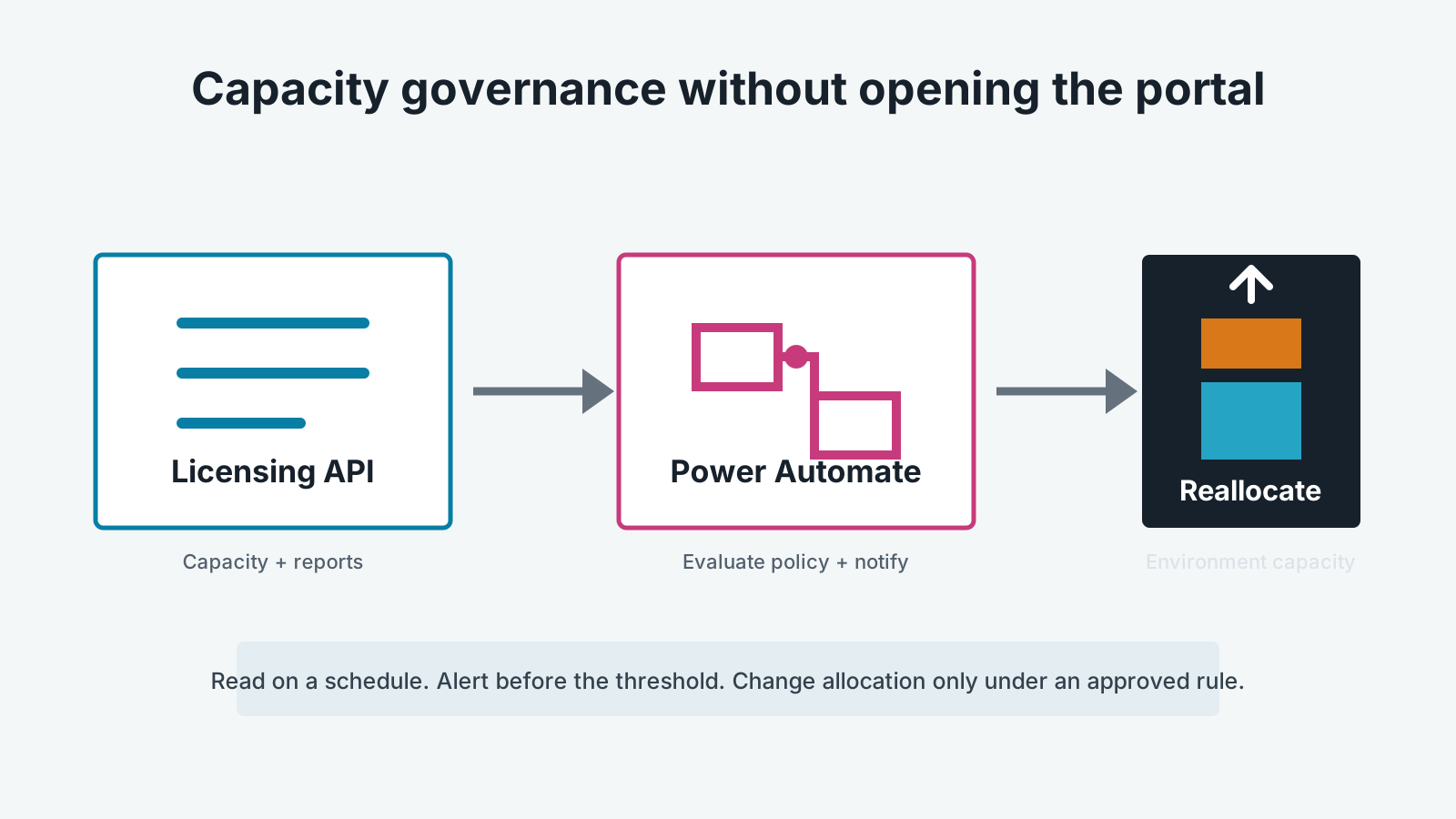 A scheduled governance flow can read capacity, notify administrators, and reallocate under an approved rule.
That supports a simple control loop: read consumption on a schedule, compare it with policy, notify before enforcement, and reallocate only when an approved rule allows it. Keep an audit trail. Use a service principal where the connector action supports it. The connector documentation notes that service-principal authentication is supported for most actions, not all, so validate the exact connection you deploy.
I would not claim that these APIs replace every setting on Manage Agents. They automate the capacity data and allocation path documented today. Keep per-agent limit configuration in your runbook unless you have validated the corresponding resource-threshold operations for your tenant.
Three checks to do now
- Inventory what bills. Open Manage Agents and record every billing agent, its harness, owner, environment, and month-to-date credits. Include work in progress.
- Set limits, even generous ones. Separate prepaid pool policy from pay-as-you-go policy, and decide explicitly what happens in overage.
- Notify before you block. Route nearing-limit alerts to tenant and environment administrators, then apply hard stops according to business criticality.
The important change is simple: publication is no longer the beginning of the cost conversation. For GitHub Copilot harness agents, governance must begin when building begins.
💬 Comments & Suggestions
Share your thoughts, tips, or drop a useful link below.